

- Services

Getting to know us
- Industries
Recent case study:
Oracle EBS Cloud Deployment
Consolidating and Migrating assets into Oracle Cloud Infrastructure.
.png?width=250&name=stonewater-logo%20(1).png)
Most Visited Pages
-
- Resources
DSP-Explorer acquires leading Oracle Applications Managed Services Provider, Claremont, to further extend its data management capabilities.

Resources
- Contact us
Oracle APEX 26.1 App Platform Changes
Contents
Introduction
Along with all the other changes made to the APEX house, the kitchen has also been redone. In this blog, I’ll walk through the development platform changes, including its refreshed look and feel and new functionality now available to developers and application administrators.
Platform UI Changes
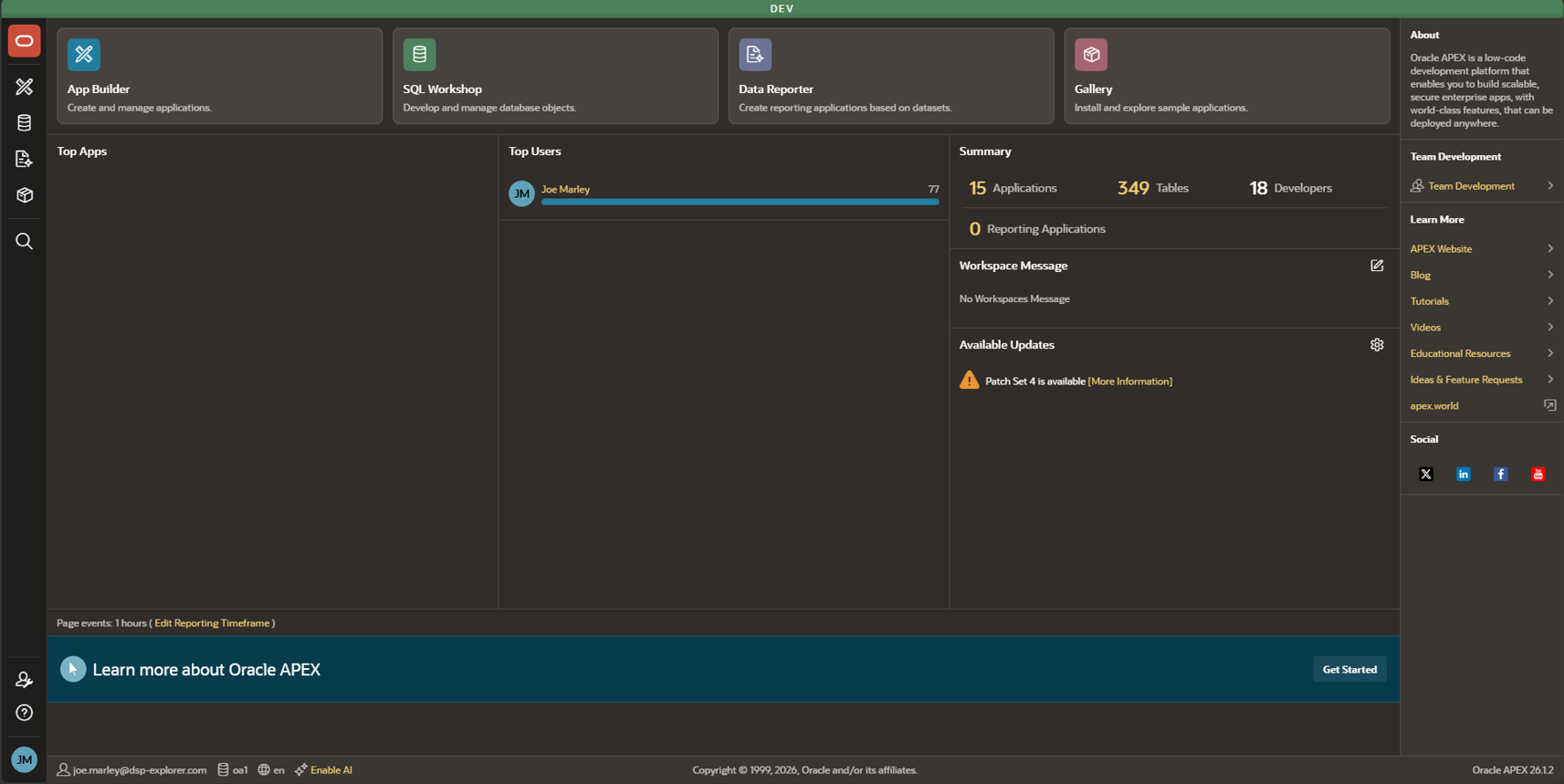
One of the most apparent UI changes, as shown below, is the new theme and navigation menu, displayed on the left-hand side. This menu includes links to pages you’ll already be familiar with, along with some additional links. The overall theme also feels more aligned with Redwood, giving the App Builder a more modern look with an improved layout.
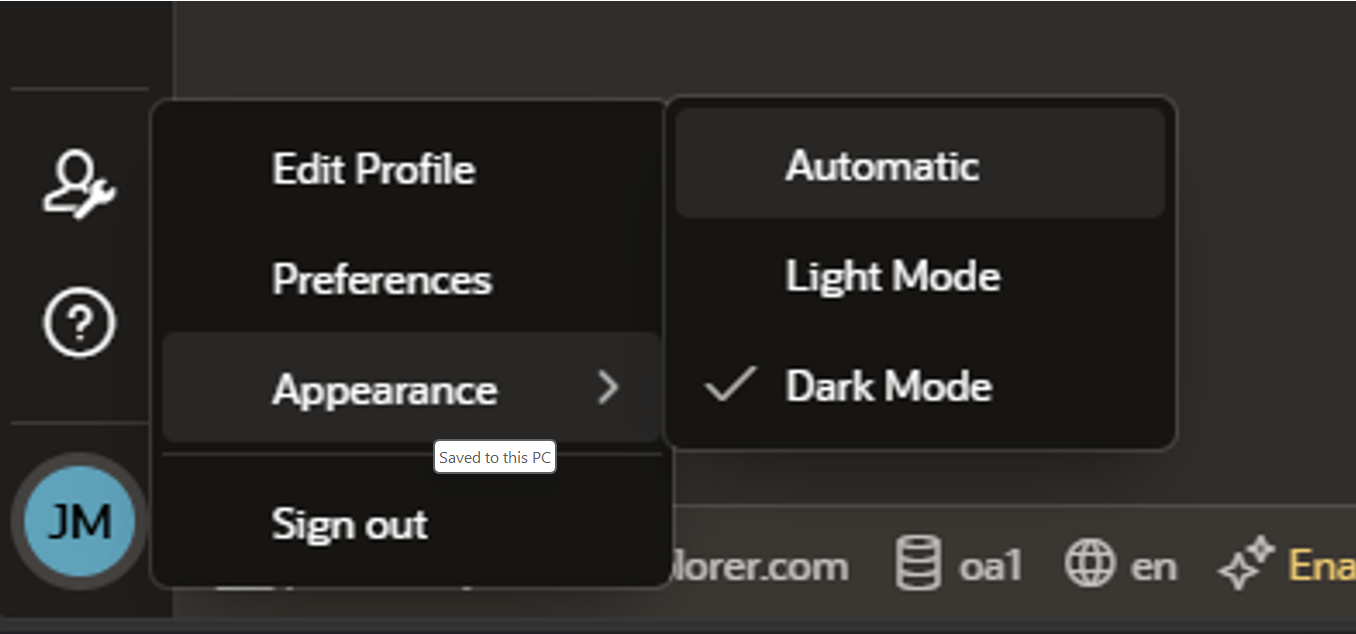
You may also notice that the Oracle APEX Builder now defaults the Appearance setting to Automatic, which is based on your existing system or browser settings, rather than the previous default of Dark mode.
Some other UI changes introduced as part of APEX 26.1 include:
-
The App Builder home page now defaults to a report view rather than the previous icon-based view.
-
For users with access to more than five workspaces, the App Builder workspace selection screen now includes a Search field and Sort By option.
-
Fire on Page Initialisation is now hidden for Page Load Dynamic Actions.
-
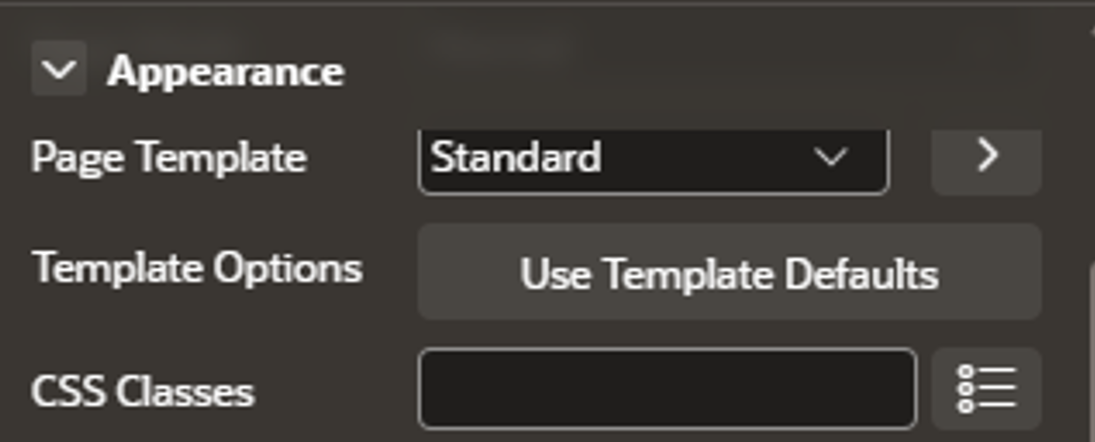
Property Editor group headers now remain visible at the top of the screen as you scroll, providing a small but welcome usability improvement.
-
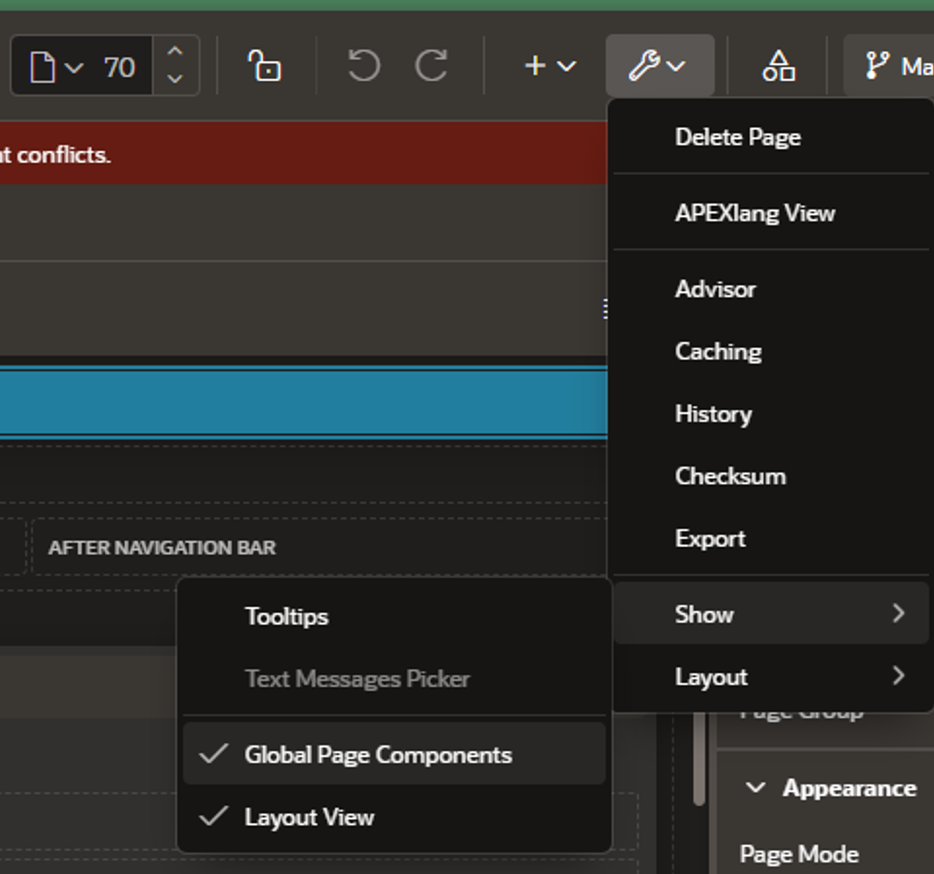
You can now hide or show global page (P0) components in both the Rendering Tree View and Grid Layout View using the option shown below.
Static IDs
One significant change under the hood in APEX 26.1 is how Static IDs are being utilised as the primary identifier for components. As part of this change, the existing Static ID property for Regions, Buttons, Interactive Grids and Interactive Report Columns has been renamed to HTML DOM ID. This helps avoid confusion between the existing HTML DOM ID and the new Static ID used to identify components.
This is a fundamental change to the APEX plumbing, but it should help tidy up some inconsistencies that could occur when identifying components. With Static ID now acting as the primary identifier, things like copying and comparing components in exports should behave more consistently.
A few other points from the APEX documentation that I picked up on Static IDs are:
-
For applications imported from a pre-26.1 version of APEX, APEX automatically generates unique, readable Static ID values based on the Component Name when upgrading APEX or importing applications from previous releases.
-
Static ID is read-only by default; the unlock icon can be used to enable editing when required.
-
Static IDs are supported across shared components, page components and templates.
One final point worth considering from the Oracle APEX documentation is to treat Static IDs as permanent identifiers. Once a component is in use, avoid changing its Static ID unless there's a good reason.
App Exports and Imports
With the introduction of APEXlang, applications can now be exported in either SQL or APEXlang format. In previous releases, users could import individual page or component exports from an earlier APEX version into a newer release. With APEX 26.1, this is no longer supported for single page or component exports from earlier releases.
The new export types are below:
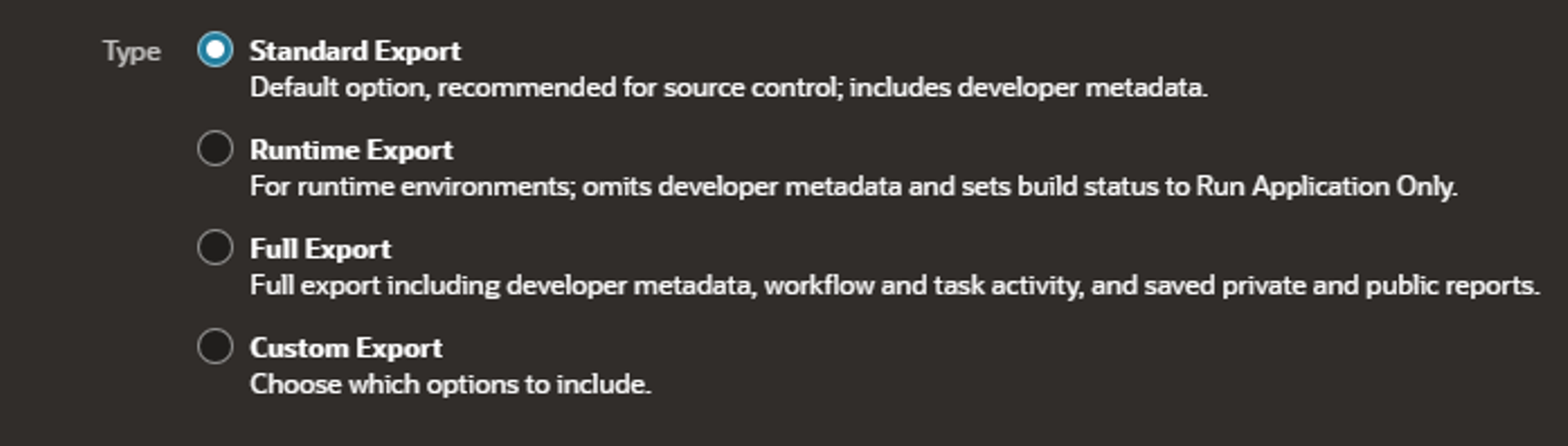
For APEXlang imports, there are some restrictions to be aware of:
-
When importing an APEXlang file, at least one schema in the workspace must be REST-enabled.
-
APEXlang imports always import the entire application.
-
You cannot import an individual page using APEXlang format, but hopefully it will be added in a later patch/release. If you only need to import a single page, you can still do this using the SQL format.
-
Runtime data such as Public Reports, Private Reports, Report Subscriptions, Workflow Instances and Task Instances is not supported when using APEXlang exports.
There is also a new step in the import process for subscribed components. APEX now checks whether the master application and master components exist in the target workspace and allows you to change the subscription mappings as part of the import. If any required master components are missing, the installation will fail with an error unless the Ignore Errors option is selected during the import process.
If you also want to export your app as a ZIP split into multiple files, use the custom export type.
Data Reporter
Data Reporter is a new, powerful, and easy-to-use tool for creating ad-hoc reports outside of App Builder and SQL Workshop. It is also AI-ready, allowing users to build reports using natural language. When using Data Reporter, you start by creating a Data Reporter application from a defined dataset. Once the dataset is set up, reports can be created and made available for users to explore and interact with.
Data Reporter has its own dedicated interface for managing and accessing your reports and applications, as shown below:
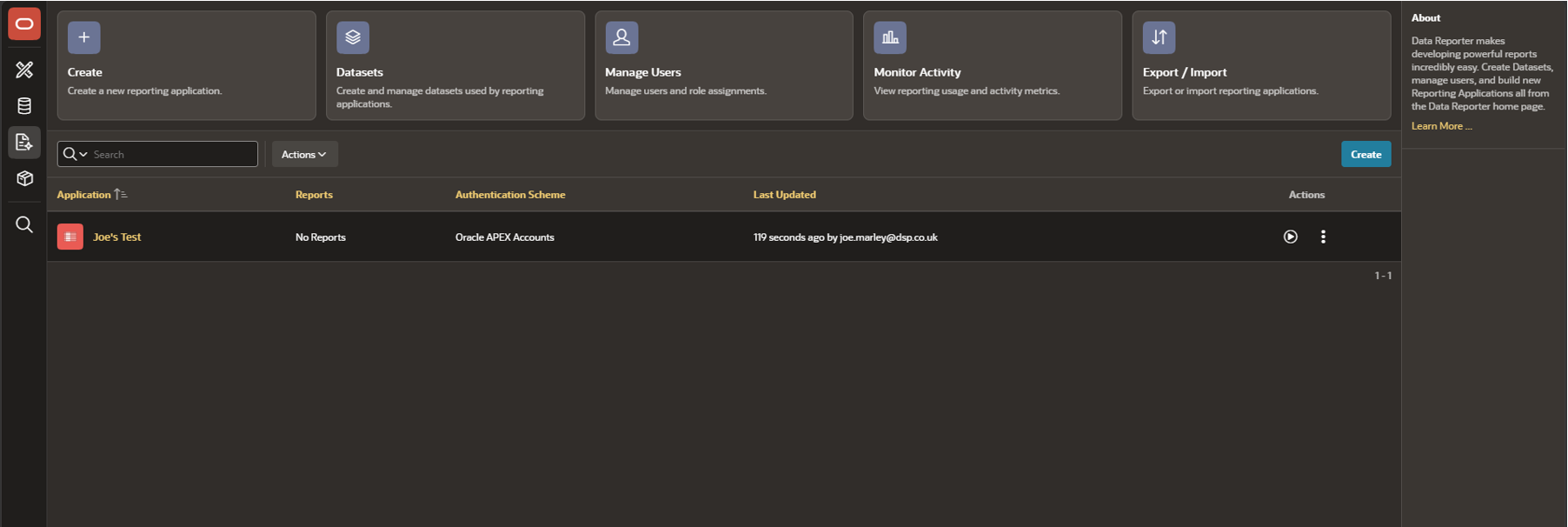
Administrators can build datasets from trusted objects in the workspace and then create reports from those datasets. Currently, the following report types are supported:
-
Interactive Report
-
Faceted Search with Table
-
Faceted Search with List
When creating a report, you can select tables or views directly, use your own SQL query, or, if APEX Assistant is configured, get help with building the query. APEX users with developer privileges have full access to Data Reporter, but there are also additional account types available to help manage access to your reporting work:
-
Administrators can create and modify Data Reporter applications, manage dataset objects, monitor activity, and manage Data Reporter user accounts.
-
Editors can create and modify reports in applications they have access to, as well as monitor activity related to the applications they have access to.
-
Viewers have no development privileges and can only view application reports to which they are given view access.
Keep in mind that Data Reporter pages cannot be edited in Page Designer, but can be exported and imported. The Data Reporter authentication scheme can also be configured through the Authentication Control settings within your application’s Administration > Security settings.
For me, combining this new reporting tool with an AI-enabled workspace really highlights the work that has gone into 26.1. It brings together quick report generation from trusted data sources with natural language interactions, while still providing the traditional tools report editors and viewers need.
The APEX team go into a lot of detail on the data reporter in their blog series, found here.
Trigger Actions
On buttons, menu entries, cards and template component actions, you’ll now find a new Behaviour type for triggering an action. This is also the default option when right-clicking a button, but you can still create a Dynamic Action through the Behaviour menu. The new Trigger Action option provides a quicker and simpler way to handle common actions. The available actions are shown below:
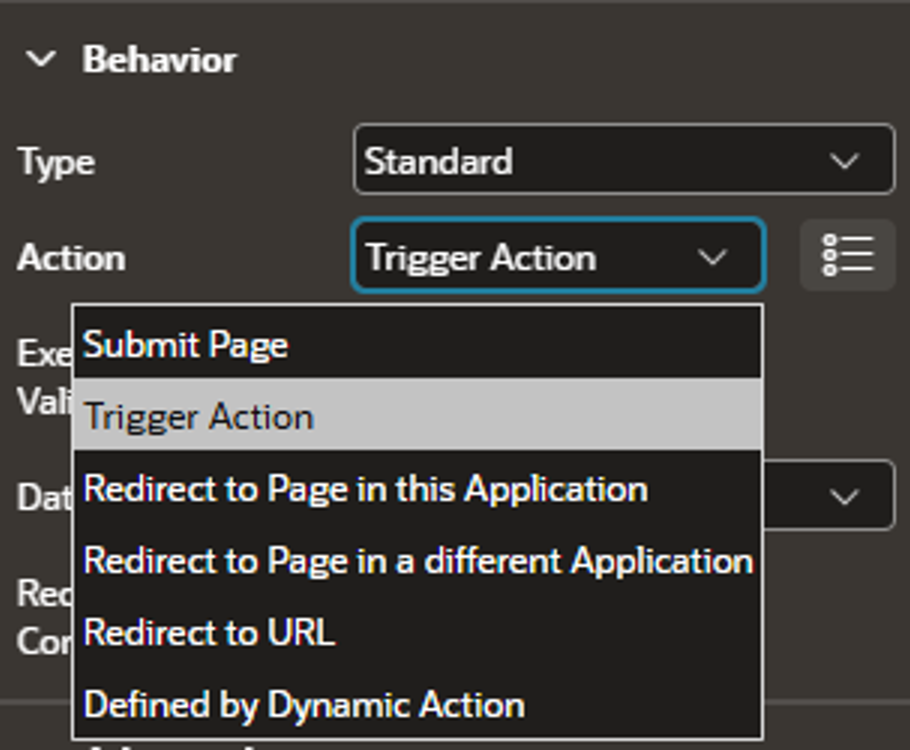
Trigger Actions provide a simple way for actions, buttons, cards, and menus to define Dynamic Actions directly within the Page Designer tree.
This is a significant step away from the custom code previously required for button redirects or the workarounds involving custom events. With Trigger Actions, Dynamic Actions can now be defined directly against the component they belong to, making it easier to configure and understand what happens when a page item is activated. Because the trigger is inherently tied to the component, there’s no need for a separate When condition.
Another benefit is improved handling of double-clicks. Trigger Actions automatically prevent subsequent clicks on the same row and button once an action has fired, blocking further execution until the action set has completed. This throttling is applied on a per-row basis, so an action on a different row can still be triggered immediately.
Overall, Trigger Actions make Dynamic Actions easier to configure, more reliable, and easier to manage. Everything associated with a component can now be seen and configured directly within the Page Designer tree, without jumping between different areas of Page Designer or relying on custom workarounds.
For actions associated with multi-row regions, you can also access row-specific column values by enabling the Available on Client attribute for the required column. The value can then be referenced using JavaScript $v('COLUMN_NAME') or substitution syntax (&COLUMN_NAME.). These values are only available for the duration of the triggered action set and won’t persist once those actions have finished.
One thing to be aware of is that Trigger Actions only appear in the Rendering tab under the component they are associated with. If you need to trigger true/false actions, you’ll still need to use traditional Dynamic Actions.
New Menu Buttons
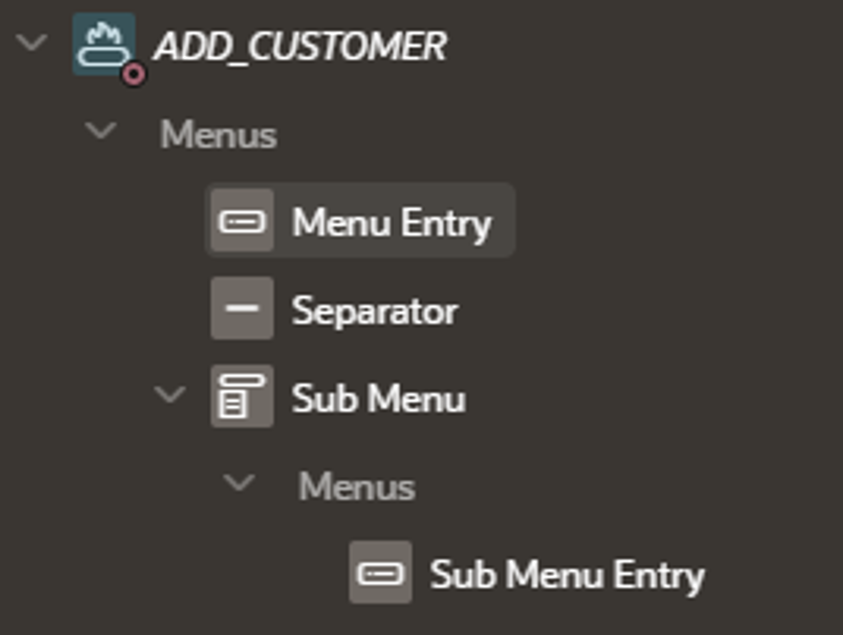
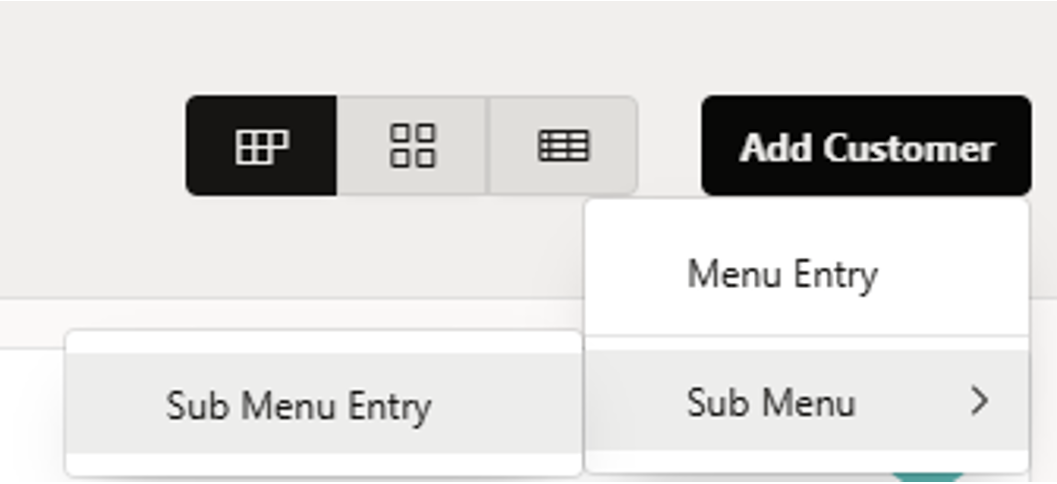
26.1 introduces a new option that allows developers to change a button from its standard behaviour to a menu. Under the Button attributes, you can now set the Type option under Behaviour to “Menu”, giving you a simple way to turn a button into a menu trigger.
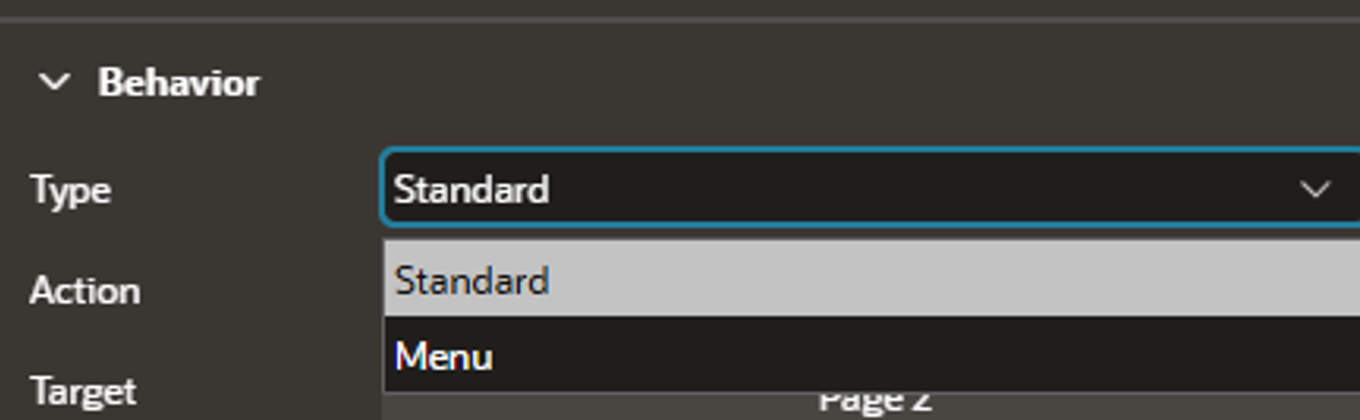
This new type makes it quick and easy to create menus with separators and sub-menu entries, while still supporting most standard button actions we’re already familiar with. The new trigger actions also work nicely alongside this feature, providing another handy way to add dynamic behaviour and making it even easier to build more efficient applications.
Interactive Report Enhancements
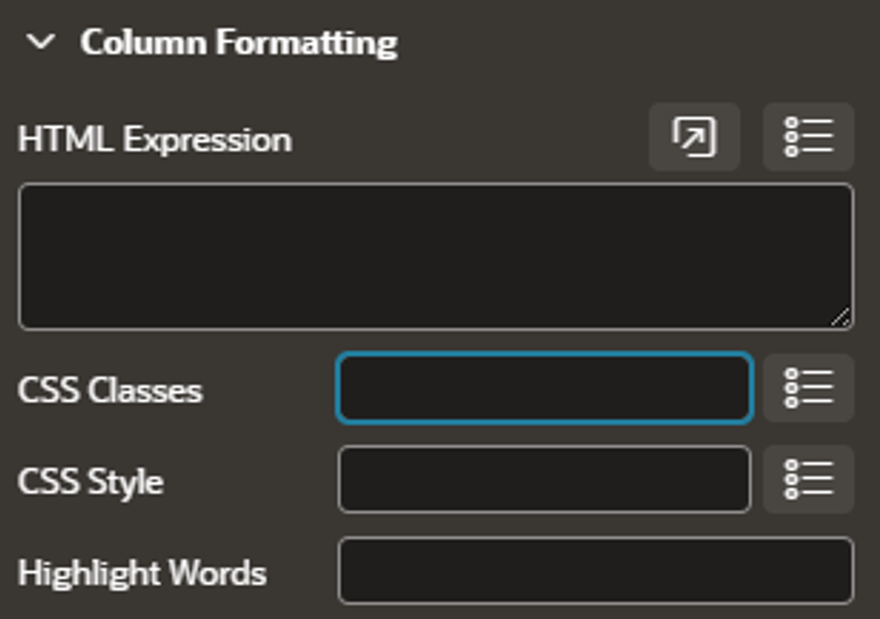
Oracle APEX 26.1 includes several enhancements to Interactive Reports. The first is a new CSS Classes attribute, which makes it easier to apply multiple CSS classes to a column without using HTML Expressions to wrap the column content.
The new Maximum Rows to Display property lets you define the maximum number of rows shown to the end user after APEX has applied filters, sorting and other report settings, unlike the existing Maximum Rows to Process setting, which limits the number of rows retrieved before processing.
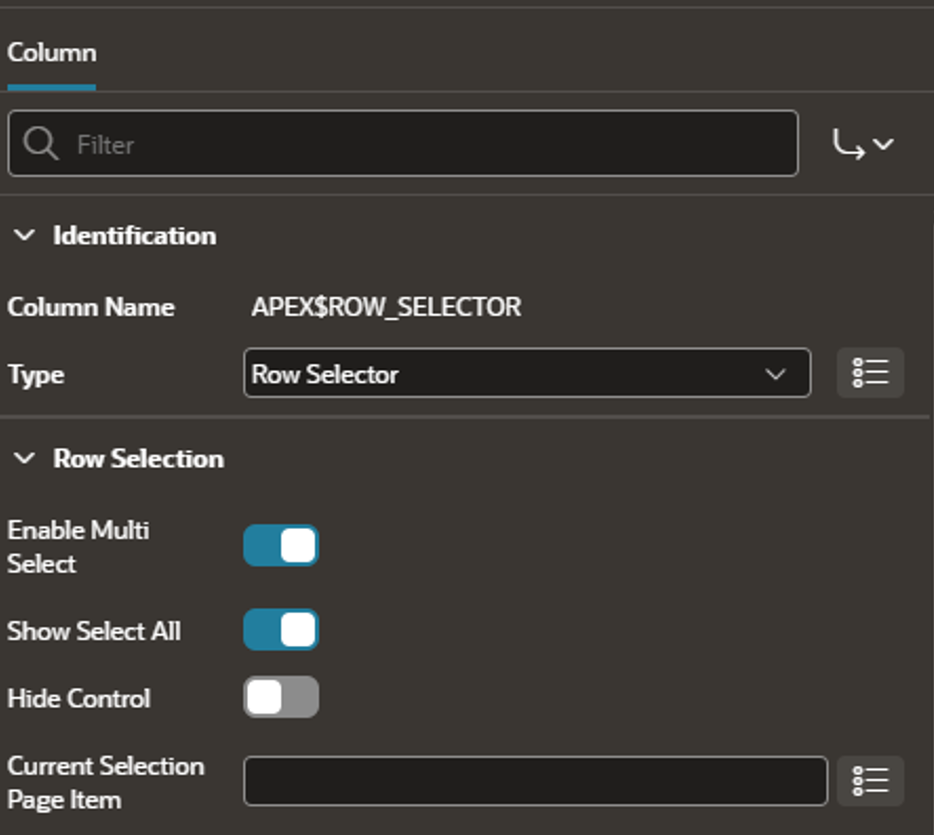
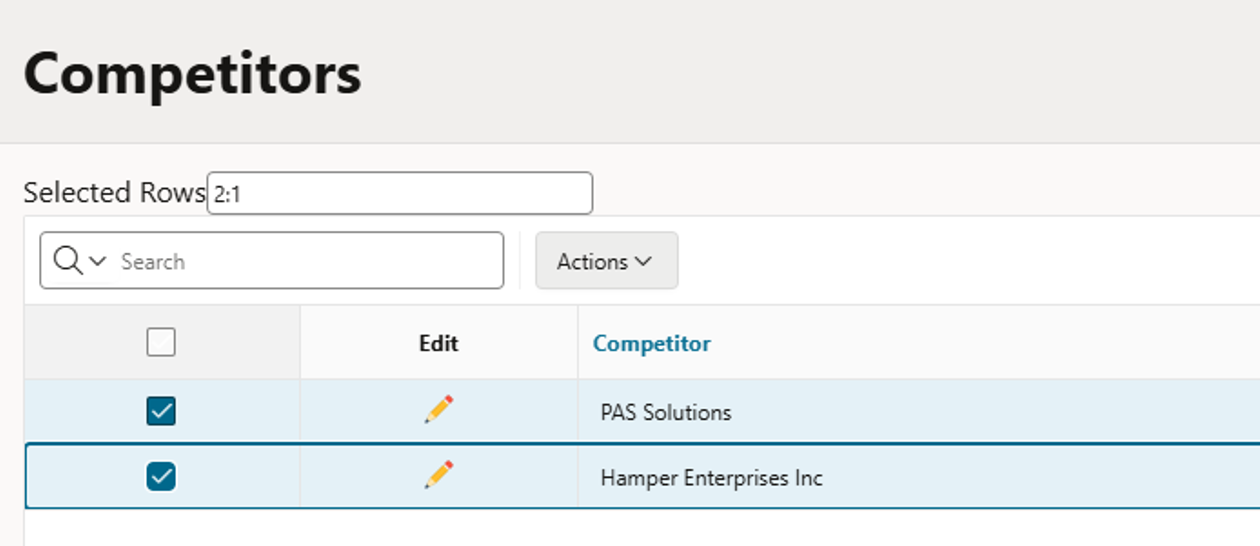
Row-based selection is now also available for Interactive Report regions. The new Row Selector column type is supported in Standard Report, Icon and Detail views, allowing users to select individual rows and retrieve their values using the configured Primary Key Column.
Previously, Interactive Reports had a 32K output limit per row. With APEX 26.1, this limit has been removed following some underlying refactoring, allowing you to display much larger amounts of data within a row.
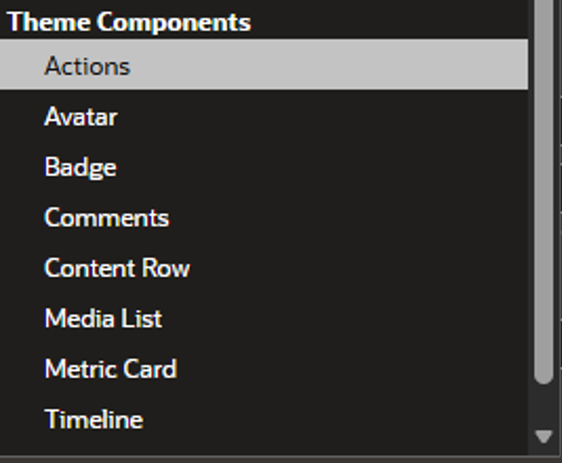
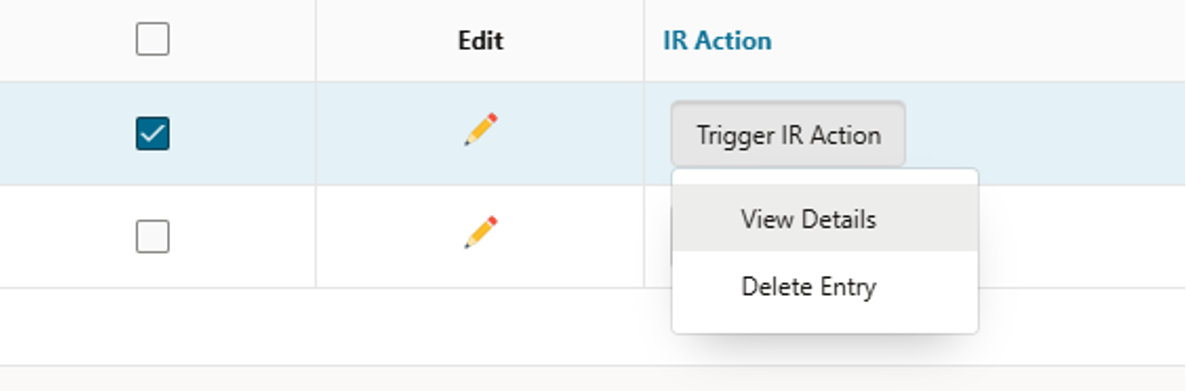
You can also now add buttons and custom menus directly within report rows using the new Actions theme component type:
Other Changes to Note
LOV Return Values
In Template Components and Interactive Report LOV columns, you can now reference the RETURN value directly within HTML Expressions using the following syntax:
&"COLUMN_ALIAS%RETURN"
It’s important that the column reference is wrapped in double quotes, as shown above. If the double quotes are omitted, the expression will return a NULL value.
New Dynamic Action Notifications
There are three new dynamic actions to help with user interactions:
-
Show Success Message
-
Show Error Message
-
Clear Errors
New Application Types
To help promote consistency and make shared component reuse easier, APEX 26.1 introduces three new application types:
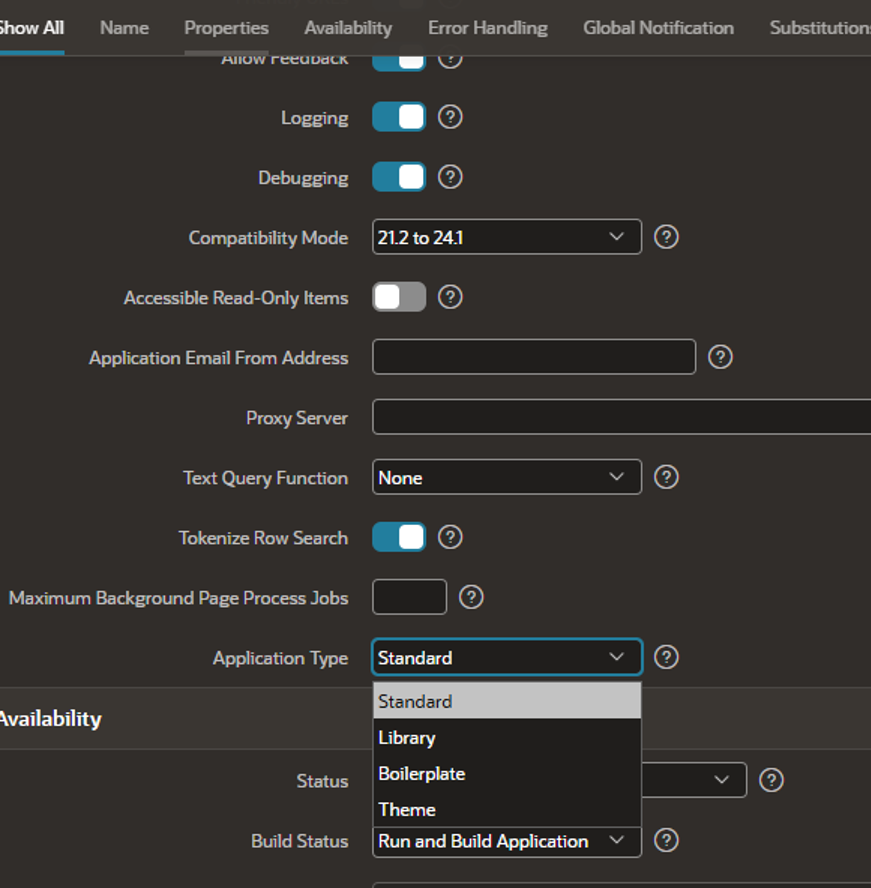
These new application types classify applications based on their purpose, such as applications used for styling, storing shared components, or providing template pages.
For existing applications, the application type will be set to Standard.
BOOLEANS now in Session State
The session state infrastructure has been enhanced to support a new BOOLEAN data type, which accepts three possible values: TRUE, FALSE or NULL. This provides better support for the BOOLEAN data type introduced in Oracle Database 26ai.
The BOOLEAN data type is available for the following item types:
-
Checkbox
-
Switch
-
Hidden
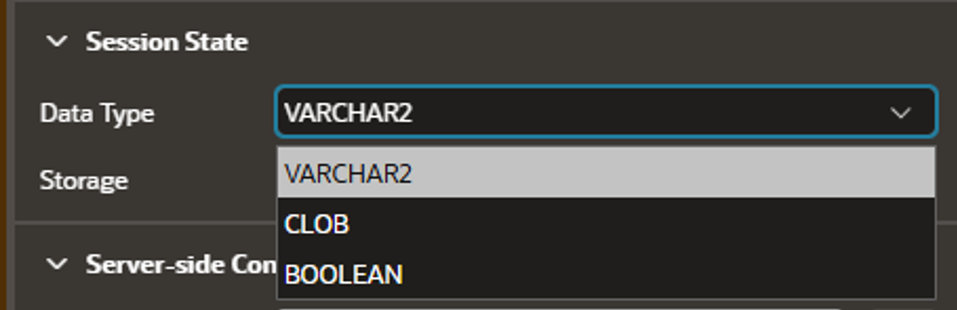
When generating Forms or Interactive Grids, BOOLEAN columns are now automatically mapped to BOOLEAN Switch items, while Classic and Interactive Reports map them to Plain Text (based on List of Values) columns using an automatically generated BOOLEAN LOV for more user-friendly TRUE/FALSE labels.
This functionality is only available on database version 26ai and above, and a new API apex_session_state.get_boolean has also been introduced for this.
List Entry Custom Link Attributes
Lists can now store and render custom HTML attributes on each link. For static lists, these can be defined using the new attribute on the List Entry page, while dynamic lists can provide them through a new Link Attributes column in your query.
Run Applications from Modal Dialog
You can now use Save and Run from both Global Pages and Modal Dialogs, with APEX automatically reloading the relevant page or dialog, or opening the application’s main page when nothing is currently running.
Application Lock
You can now lock APEX applications to prevent changes through App Builder. While locked, changes can only be made using APEXlang, or to a Working Copy if one exists.
Show Processing for Execute Server-Side Code
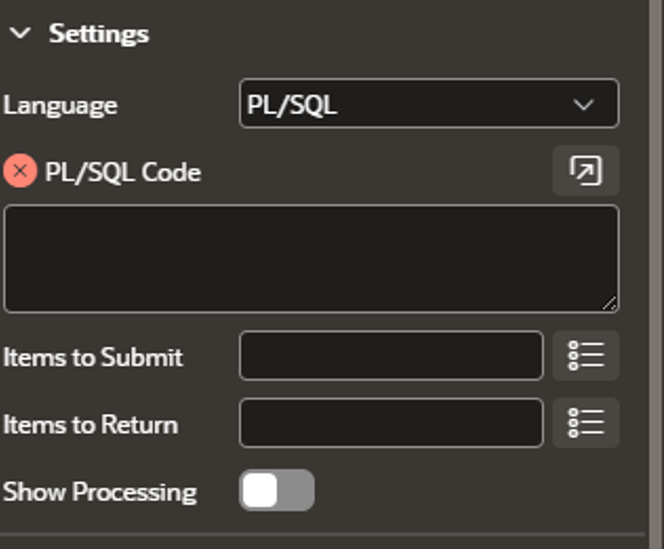
The Execute Server-side Code Dynamic Action now includes a Show Processing option, which displays a spinner while longer-running PL/SQL code is executing. An item-level spinner is shown for items specified in Items to Return, or a page-level spinner when none are specified, giving users clear feedback that the action is still running.
Notable UI Changes
-
There have been many changes to Universal Theme, including the new Font APEX 2.5, IRIS theme and Flexbox Container. You can find more details here.
-
Select One, Select Many, Combobox and Autocomplete items now support an infinite scroll-style pattern, allowing users to browse all available results without being limited by the Maximum Values in List property.
-
LOV-related properties have been moved closer to the top of the property list in Page Designer, saving you a bit of scrolling when configuring List of Values.
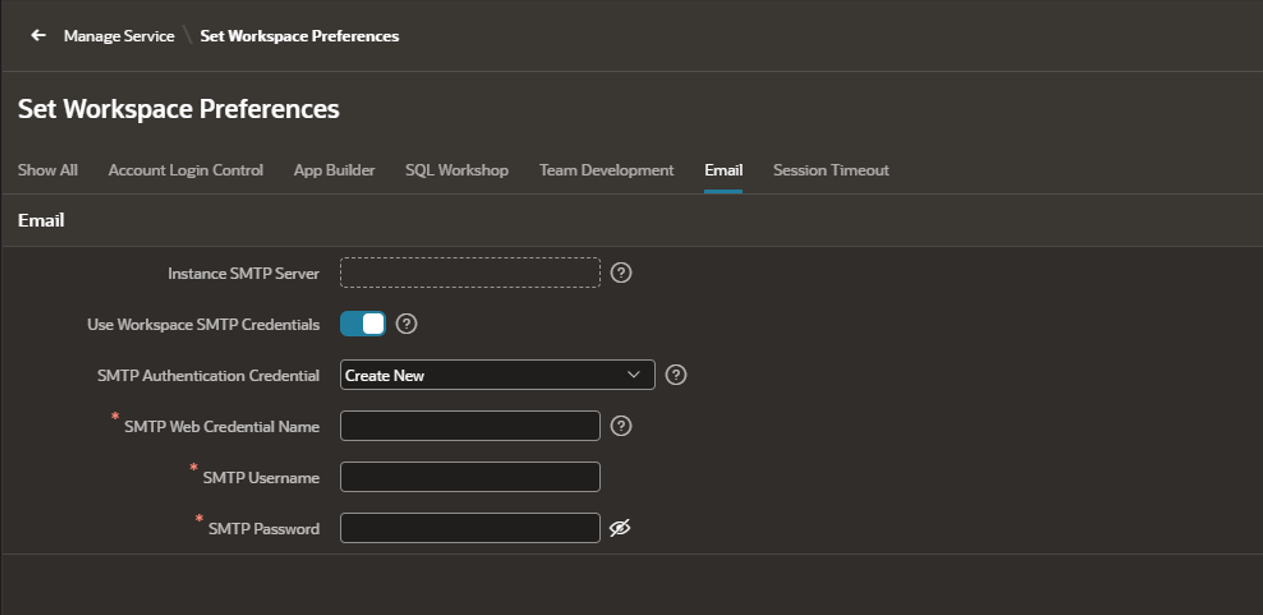
Allow Configuration of SMTP Credentials at Workspace Level
You can now configure SMTP credentials for sending emails at the workspace level rather than the instance level. This can be managed through Workspace Preferences.
Deprecations
Substitution Strings
The table below highlights the substitution strings that are now deprecated, along with their recommended replacements:
| Deprecated Static IDs | Replacement Static IDs |
| #REGION_STATIC_ID# | #DOM_ID# |
| #BUTTON_ID# | #DOM_ID# |
| APP_REGION_STATIC_ID | APP_REGION_DOM_ID |
Page Unload
This is one change I want to highlight, as I’ve already had a run-in with it that resulted in JavaScript errors in the browser.
Major browsers are currently deprecating the unload event, which can affect Dynamic Actions that rely on it. As a result, the Page Unload Dynamic Action event in APEX 26.1 now listens for the pagehide event instead, which has the closest semantic meaning to unload.
It’s therefore worth reviewing any Page Unload Dynamic Actions in your applications to ensure they continue to behave as expected and to check for any inconsistencies.
The APEX team has also provided the following query to help identify applications in the current workspace that contain Dynamic Actions using the unload event:
SELECTapplication_id,application_name,page_id,page_name,dynamic_action_name,when_event_name,when_event_internal_name,number_of_actionsFROMapex_application_page_daWHEREwhen_event_internal_name = 'unload'ORDER BYapplication_id,page_id,dynamic_action_name;
Conclusion
Hopefully, you’ve picked up a few things from this blog that will help with your own Oracle APEX app development.
APEX 26.1 is, quite rightly, associated with a significant step forward in AI integration. But it’s also clear that a lot of work has gone into the wider platform to give developers the tools and infrastructure to build and deliver applications efficiently, whether AI is part of the solution or not.
A big thank you to the APEX team for all the material they’ve put together around 26.1, from the Office Hours videos and blog posts to the updates to the user guides and other resources. All of this has been a huge help in navigating a substantial and exciting release for the APEX platform.
You can find the APEX 26.1 release notes here. They have been a great help in putting together my blog.
For more information, check out our Oracle APEX Services, or contact us today, and one of our expert developers will be in touch.